
Welcome to ScreenPlace
ScreenPlace remembers exactly where every window should be on your Mac and automatically puts it back in its place. Never rearrange or resize a window again because ScreenPlace can handle it for you automatically.
Badge is the defining experience of ScreenPlace - a floating companion that stays close to your windows and lets you snap them back into place with a single click. You can also group your apps into separate workspaces and switch between them in seconds, save reusable templates for the window sizes and positions you frequently use, and have a separate layout for every display setup you use so the right one applies the moment you connect. Global shortcuts let you switch between workspaces or apply window sizes and positions from anywhere on your Mac, and with auto-apply, your windows are already in place by the time you need them.
ScreenPlace is built to stay out of the way and just work. It's a fully native macOS app, customizable down to the smallest detail, with a one-time payment and no subscription - so you can set it up once to suit how you actually work, and let it quietly keep all of the windows in place on your Mac.
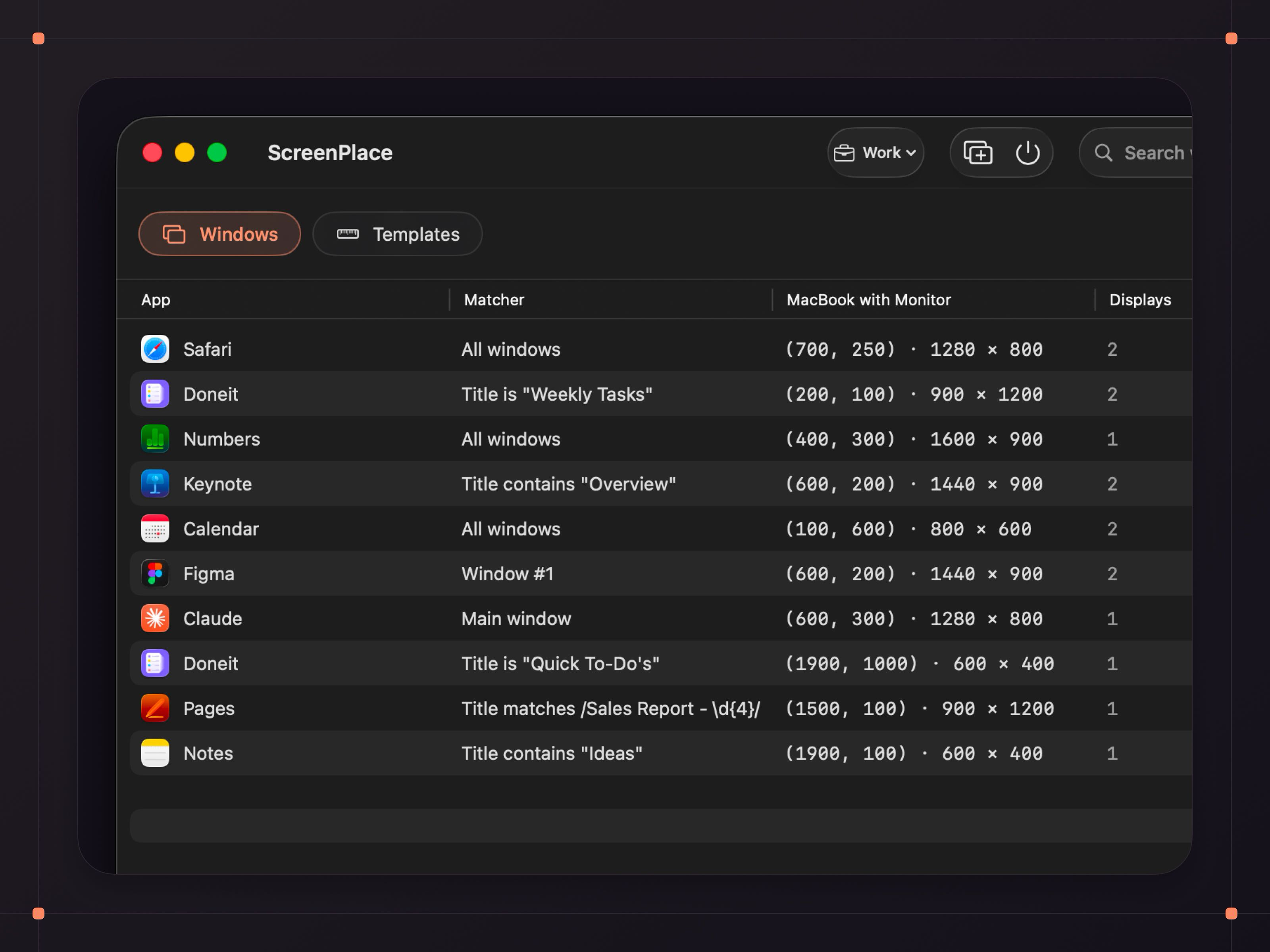
Key Features
- Badge - a floating companion for every window you use that lets you snap it back into its place, as well as save the current size and position. It also hides automatically when both size and position already match.
- Unlimited workspaces - group your windows by what you're working on and switch between workspaces right from the menu bar or using a keyboard shortcut.
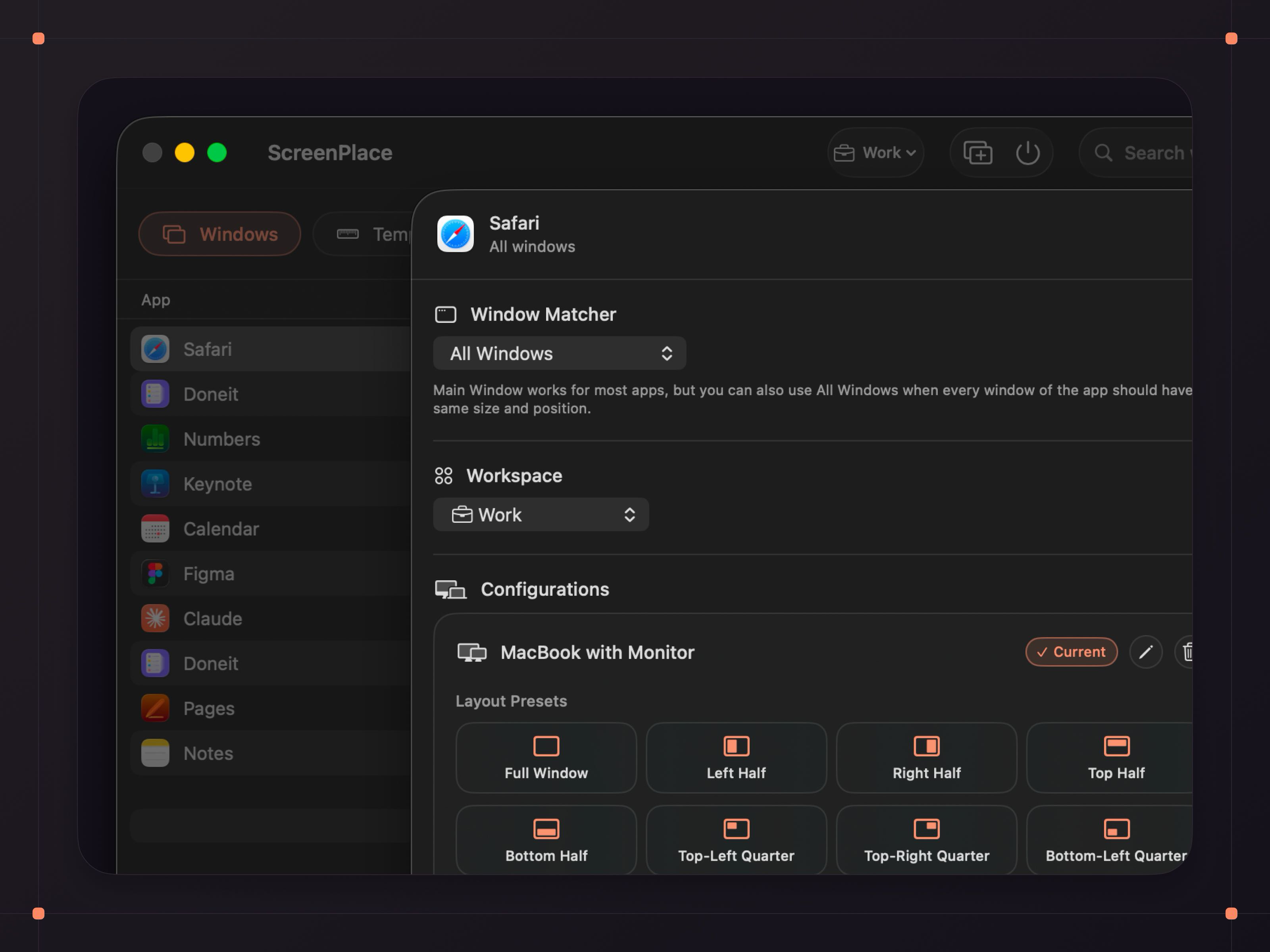
- Multi-display support - easily manage windows across all of your monitors with per-display configurations.
- Auto-apply - ScreenPlace can automatically apply window sizes and positions when you launch your apps so there's nothing to rearrange or resize when an app opens.
- Global shortcuts - switch between workspaces or apply window sizes and positions with keyboard shortcuts without even opening the app.
- Reusable templates - set the exact size and position you want, save it as a template, and apply it to any window in just a few clicks.
- Smart window matching - match windows by title, index, or pattern so the right window is always in its place.
- Endless customization - tailor ScreenPlace down to the smallest detail so it suits the way you work.
- Up and running instantly - grant Device Control and Data Access, add windows, and you're done.
Pricing
You can use ScreenPlace completely for free, and there is an ultra version available that can be purchased as a one-time purchase.
Continue to images