PRESS RELEASE
Oct. 17, 2026
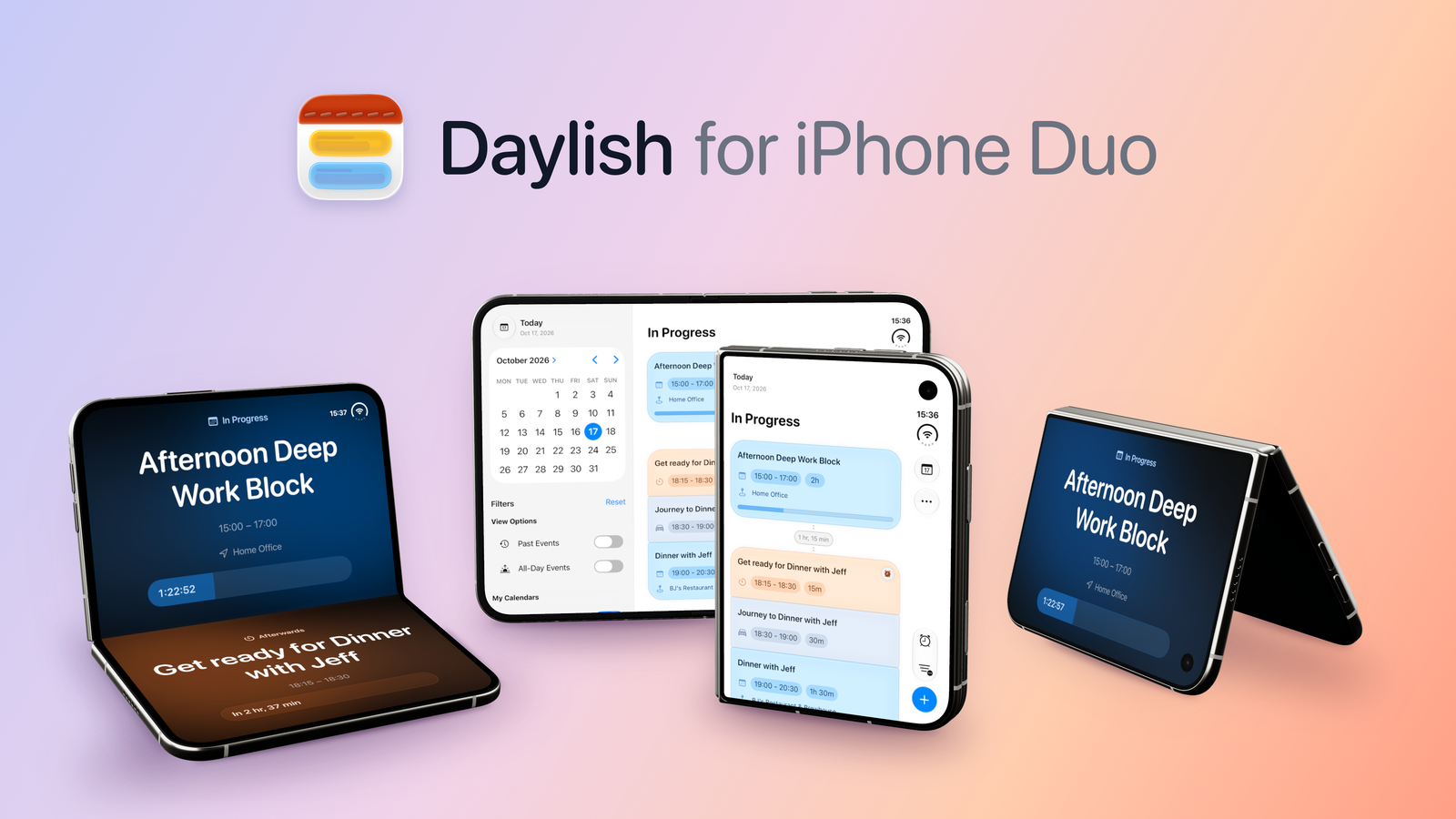
Daylish for iPhone Duo: Open to Plan, Fold to Focus
Summary
Daylish, the iOS day planner that combines calendars, alarms, and timers in a single timeline has been fully optimized for iPhone Duo.
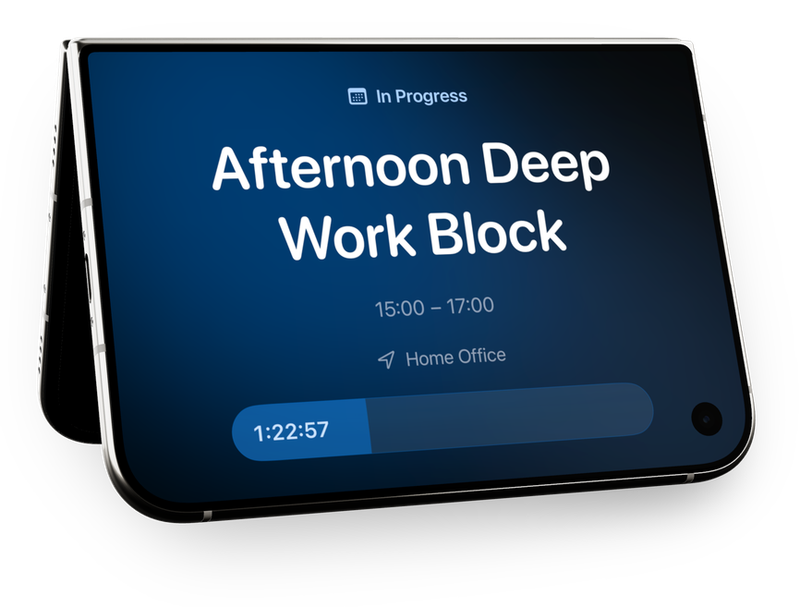
Standout feature: Placing the device in tent or laptop mode activates Cue, a new full-screen view prominently displaying the current (or next) item without distractions.
Demo video
If you'd like to see it in action and imagine what it'll look and feel like on a real device, have a look at this demo.
Note: this is a quick take without proper script. so it's more of a loose walkthrough, but it gives a good overview of the features. Just please don't expect anything super polished yet😅
Adaptive UI across screen sizes and poses
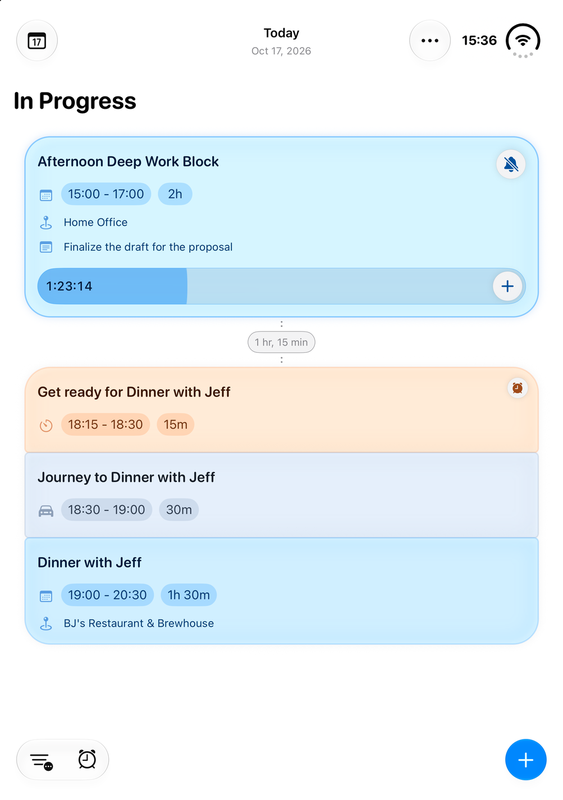
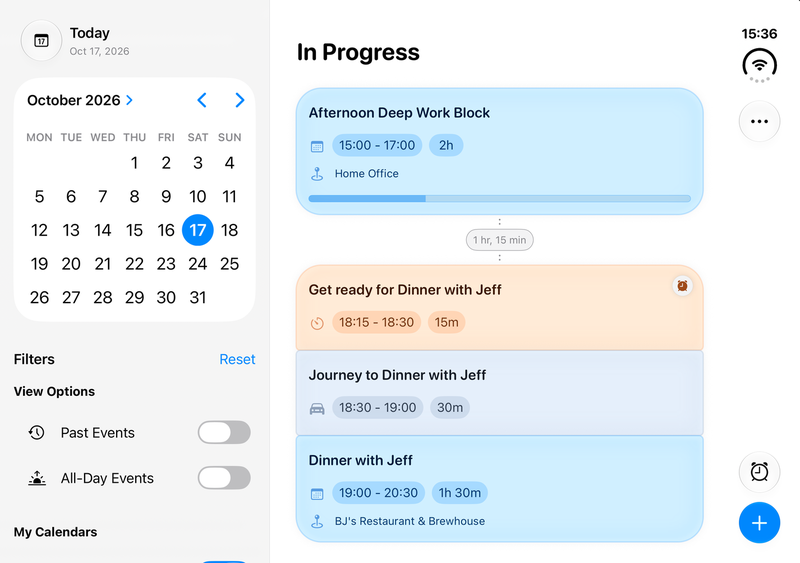
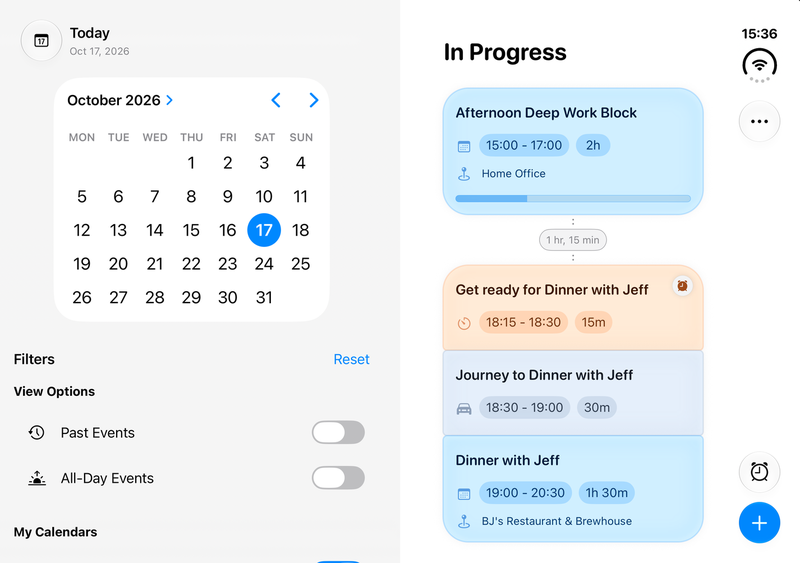
The timeline view has been adapted to take advantage of the different screen sizes and layouts.
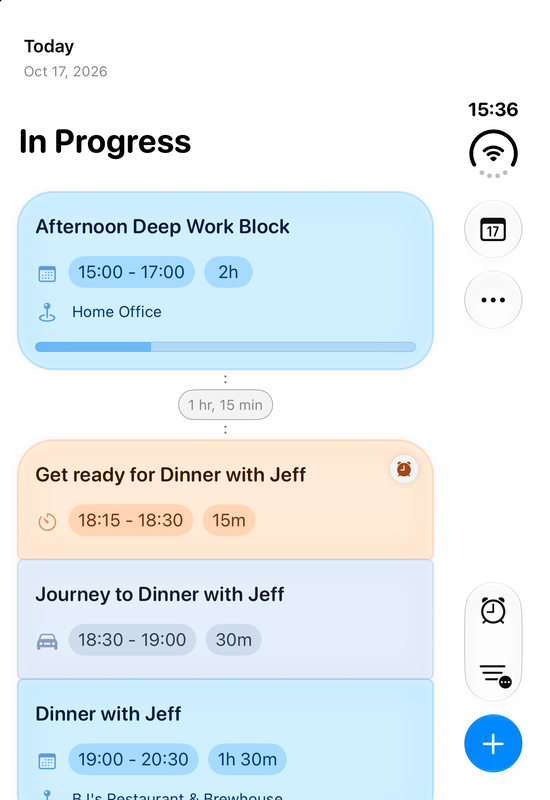
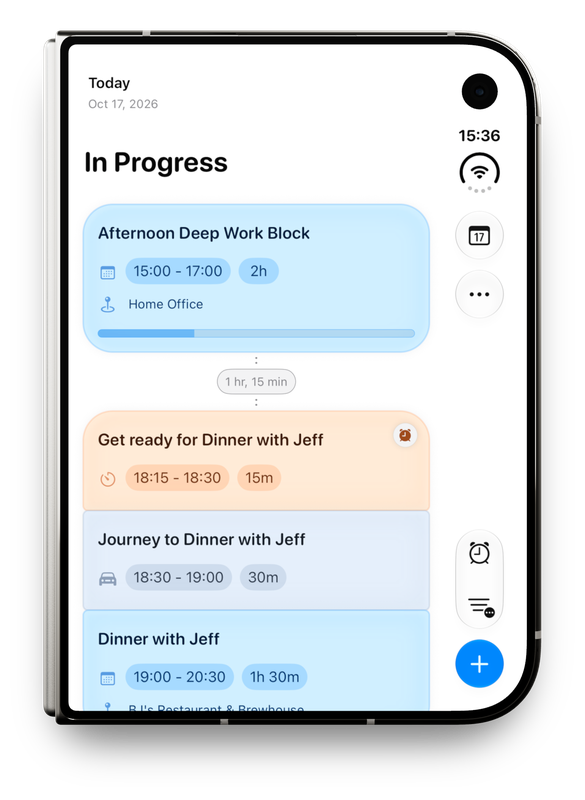
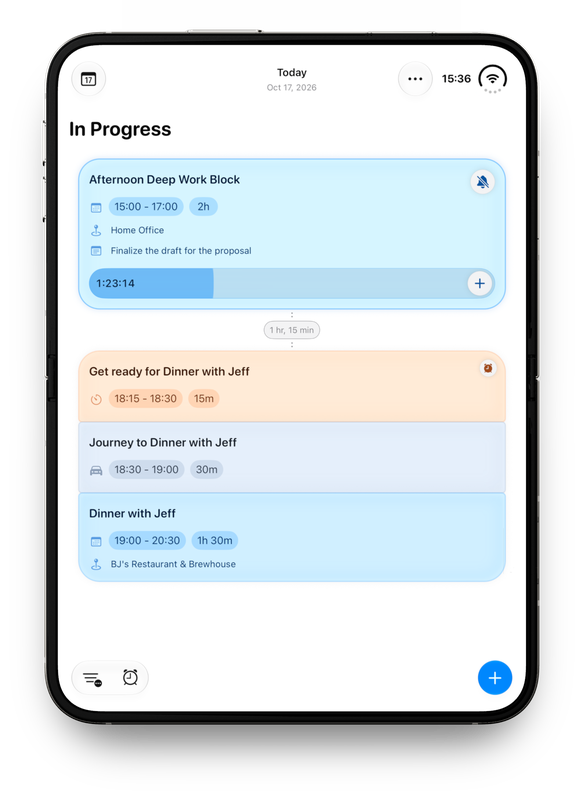
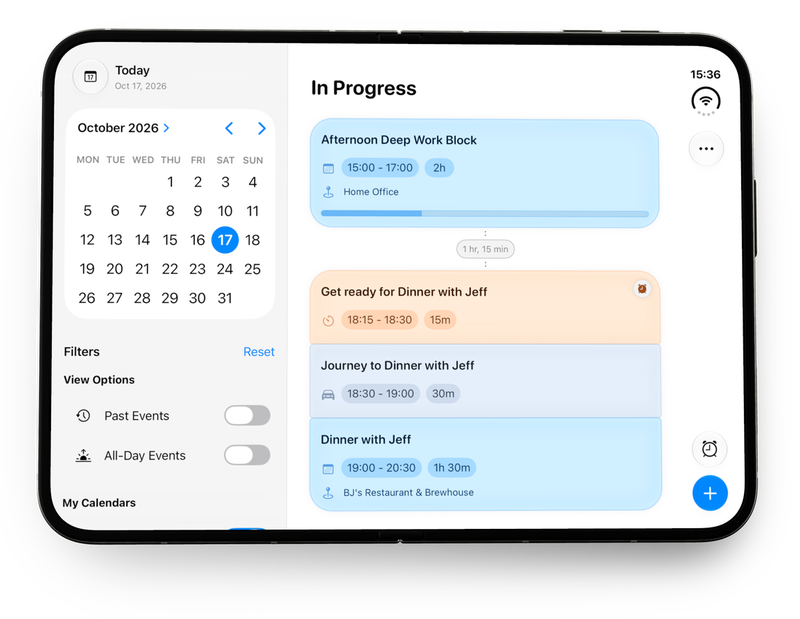
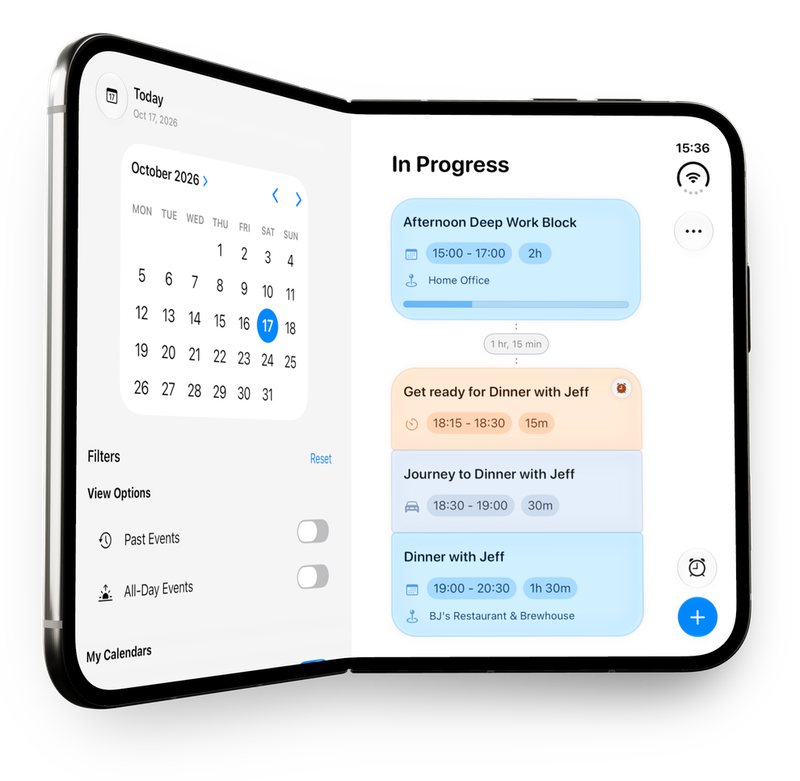
In landscape orientation, there is now an extra sidebar that makes the day picker and calendar filters easily accessible. When unfolding Duo into portrait, the extra vertical space is used to show more of the current timeline at a glance, which really helps keep an overview on a busy day.
Daylish also supports multitasking on iPhone Duo which is super helpful for more complex planning tasks. Imagine Daylish side-by-side with Mail app or Messages, to plan a set of events based on emails or a group chat.
Of course, the app also responds to the hinge by keeping UI elements away from the crease when the phone is partially opened in book mode.
Cue: Focus on what matters Now (and Next)
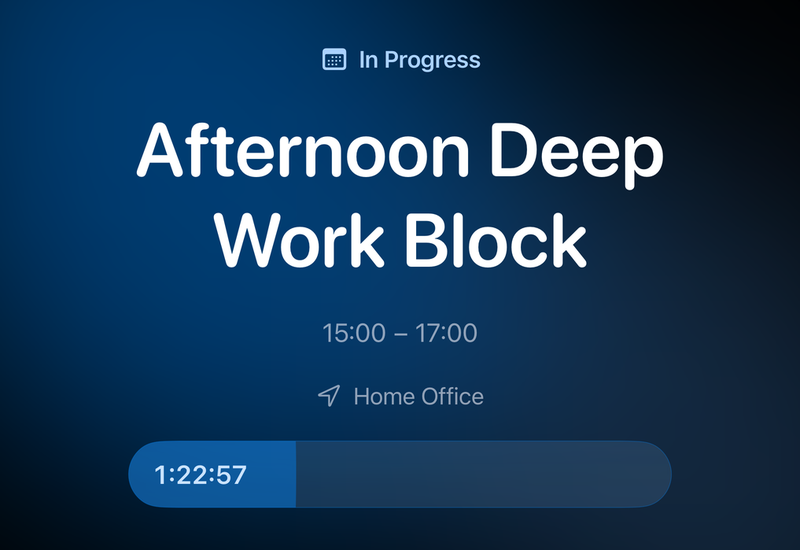
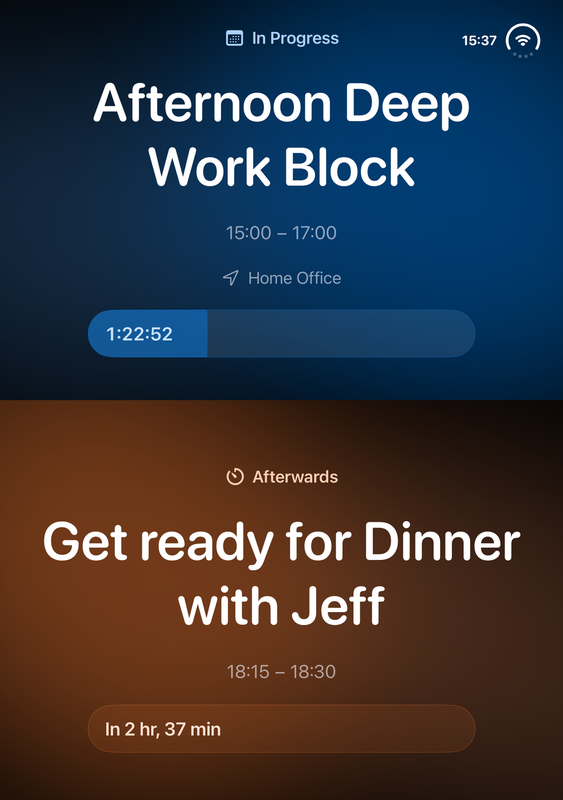
When placed into tent mode, Cue automatically presents a full-screen view of the current item (or next item if nothing is in progress). It hides the whole day planner interface and shows just the title, timing, progress bar and relevant metadata on top of a beautiful background gradient based on the calendar or timeline item color. A tap anywhere brings up controls to configure or exit Cue.
Example use case: Block a deep work session or focus timer in Daylish and place the phone down to start working distraction-free. With Cue, you can focus on what matters at any given moment, while Daylish’s alarms and leave-on-time routines will make sure you are not losing track of time or missing important events.
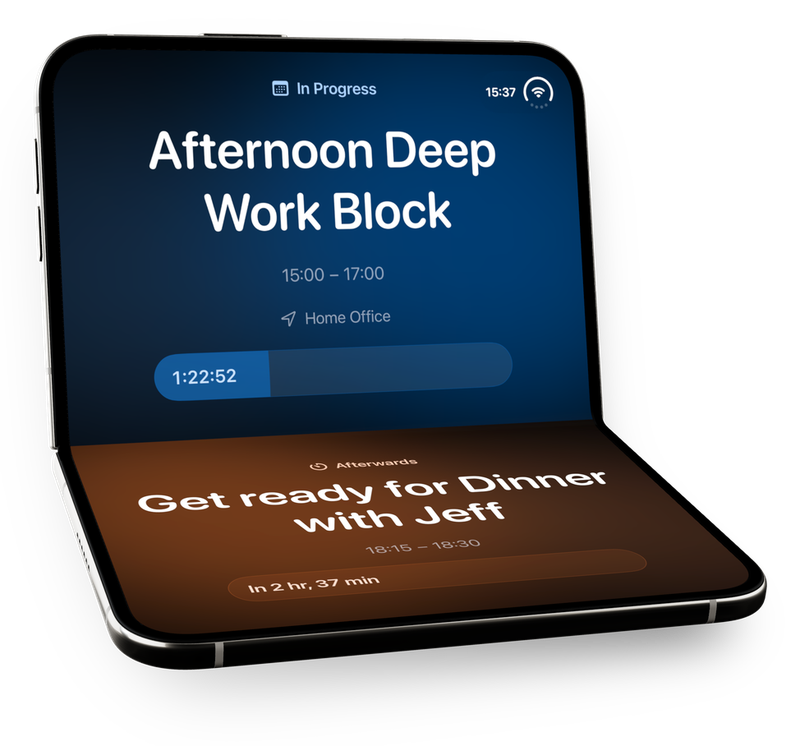
When folded into laptop mode, Cue uses the bottom half of the screen to show a sneak peek of the next item in the timeline. Useful for those who want to stay focused on what’s happening, while still being able to glance at what comes up afterwards.
Cue on MagSafe Stand: Not only on iPhone Duo
While Cue was inspired by and designed for iPhone Duo, I'm happy to announce that this feature is also available on all other iPhones (or a closed iPhone Duo) by simply rotating to landscape. Works great with a MagSafe stand on the desk.
Native alarm glow in tent mode
When an alarm goes off in Daylish while the iPhone Duo is in tent mode, the inner display lights up just like regular system alarms do. One particular detail I paid attention to is that the color of the glow is based on the color of the timeline item’s calendar.
When your alarm fires five minutes before an important meeting, your whole desk glows in the color of your work calendar. Later, when it tells you it's time to pack up to make family dinner on time, it lights up with the tint of your family calendar.
Day One Availability & Pricing Model
I worked hard to make sure Daylish 1.9 with full iPhone Duo support is available on the App Store before iPhone Duo is in customers’ hands. Many of the app's features can be used for free, including Cue, while some features and customizations require a Daylish+ subscription or one time purchase.
Attachments
Contact email
---Links