
PRESS RELEASE
July 2, 2026
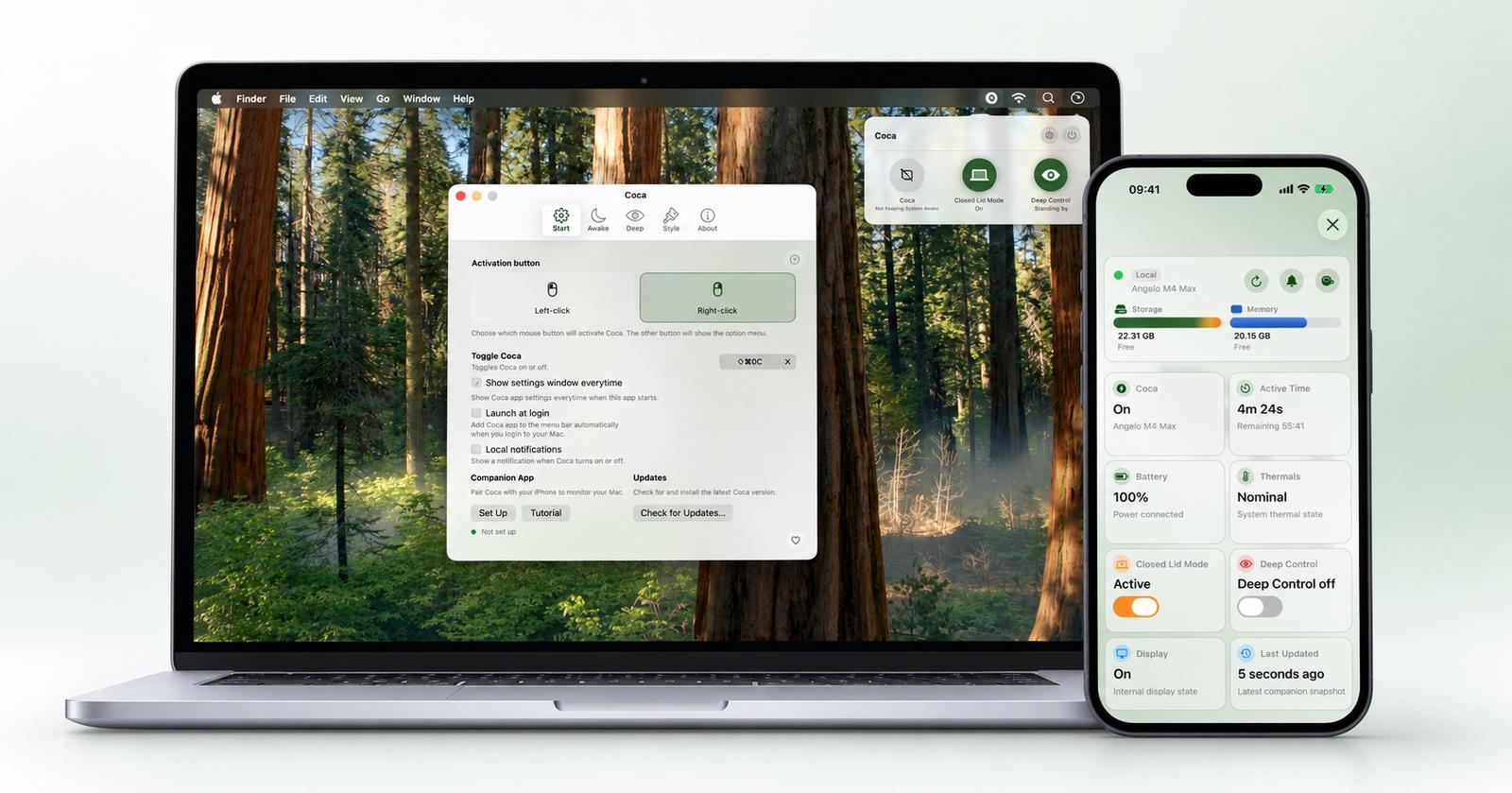
Coca 2.1.0 brings a refreshed Mac design and a new iOS companion
A refreshed Mac experience and a new iPhone and iPad companion make it easier to keep your Mac working and check in from wherever you are.
Independent developer Angelo Cammalleri announces Coca 2.1.0 for macOS alongside the release of Coca for iOS. The update brings a clearer interface to the Mac utility, while the new companion lets users check their Mac’s essential system stats and control Coca across local and remote networks.
Coca is a lightweight menu bar app that keeps a Mac awake during tasks such as long downloads, backups, presentations, and remote sessions. The redesigned Mac experience puts everyday controls within easy reach, with a cleaner layout and better organized settings. Users can start an indefinite session, choose a custom duration, and decide whether the display should stay awake while their Mac continues working.
The new iOS companion extends that experience beyond the desk. Whether a Mac is working in another room or staying at home while its owner heads out, Coca for iOS provides a convenient way to see how it is doing from an iPhone or iPad.
The companion dashboard brings together the essentials:
- Battery and power: Check the battery level and whether the Mac is connected to a charger.
- Memory and storage: See available memory and free disk space.
- Thermal condition: Check the system’s thermal state as reported by macOS.
- Coca status: See whether Coca is active and how long the current session has been running.
Users can also turn Coca on or off and change display sleep settings from the companion. A visible connection status and last-updated time help them understand how current the information is.
Nearby connections provide a direct, encrypted link to a paired Mac. For access beyond the local network, Coca Patron unlocks remote connectivity through iCloud, allowing users to check in and control Coca when their devices are on different networks. Both devices must use the same Apple Account, with Companion App support enabled on the Mac. The Mac must remain awake and running Coca to respond; remote updates depend on connectivity and background availability.
Coca’s core Mac features and the companion’s local connection remain free. Remote iCloud access requires an optional Coca Patron subscription in the iOS app. Coca for macOS is available through the Mac App Store and as a direct download, and the companion supports iPhone and iPad.
Coca is created by independent developer Angelo Cammalleri, whose apps focus on practical tools for Apple devices.
Download and learn more: Coca website · App Store
Screenshots and press assets: Coca press kit
Press contact: Angelo Cammalleri
Contact email
---Links