
DyslexiaBuddy: Reading, made calmer
DyslexiaBuddy helps children and adults with dyslexia read on their own. It turns any page, printed, PDF, or on screen, into calm, readable text, reads it aloud in natural voices with every word highlighted, and includes Olly, an AI reading tutor. Available on iPhone, iPad, and Mac.
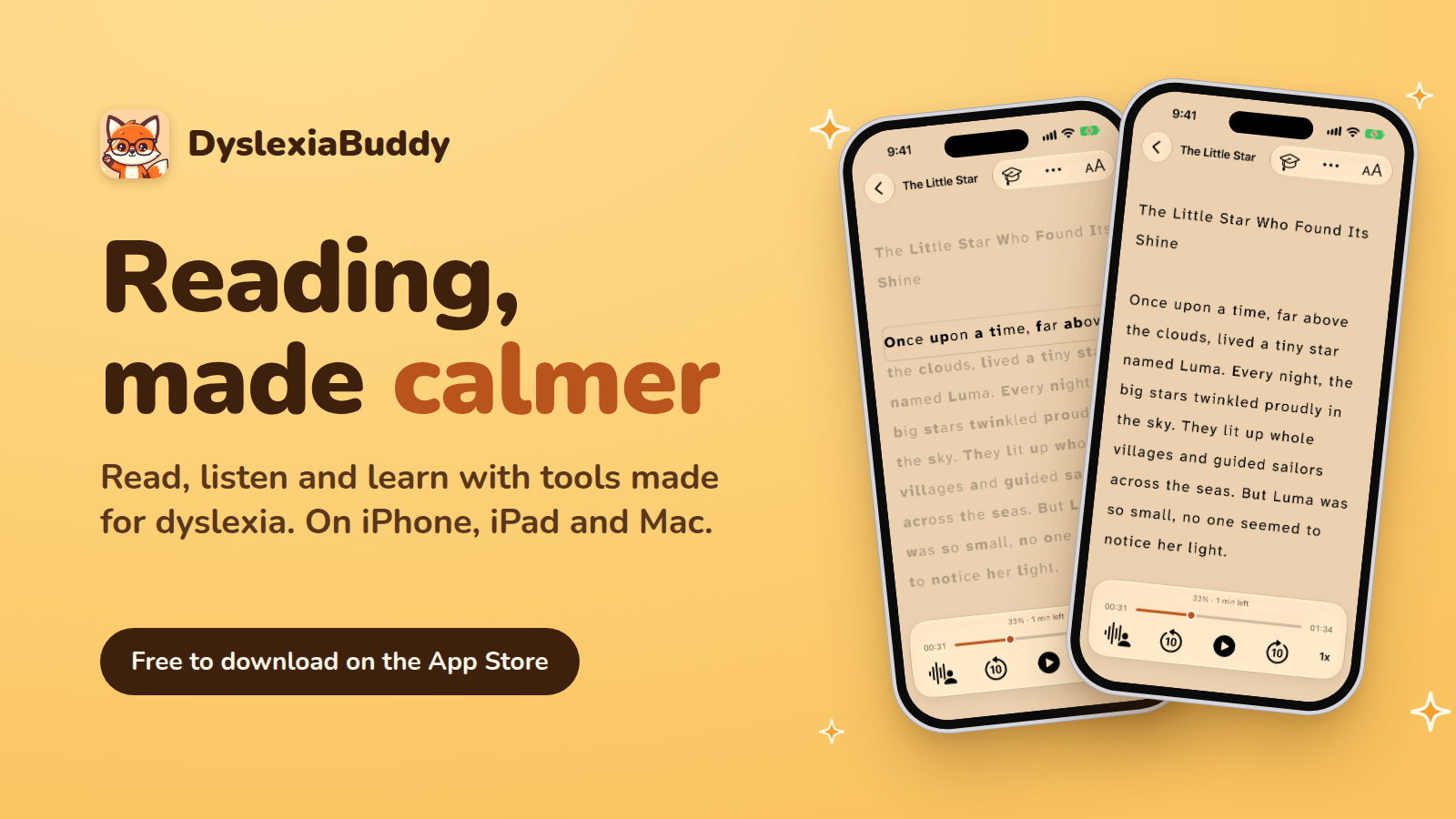
Reading, made calmer. DyslexiaBuddy turns any page into something you can read, hear, and understand. Point the camera at a printed page, import a PDF or ebook, or send text in from any other app, and it becomes a calm, readable view in seconds. Built with guidance from educators and accessibility research, for the 700+ million people worldwide with dyslexia. Trusted by thousands of users in over 100 countries.
Key features
- Reading made comfortable: dyslexia-friendly fonts (Atkinson Hyperlegible by default, with OpenDyslexic and more), adjustable colors, text size, and line and letter spacing, all from one Aa menu in the reader.
- Reading aids that keep your place: Bionic Reading bolds the start of each word to guide the eyes, and the Reading Ruler dims the lines around the one you are on.
- Focus Mode: one word at a time, at the speed you choose. It now works with the natural AI voices, with the highlighted word matching the voice.
- Read aloud in 28 voices: natural, human-sounding voices across a range of accents, generated on the device, with every word and sentence highlighted as it is spoken.
- A free Library: 14 classic children's books with their real covers, sorted by age and topic, ready to read straight away.
- Olly, the AI tutor: a personal reading coach that can see the page you are on, explain what a passage means, break a hard word into sounds, and quiz you on what you read.
- Understand as you go: long-press any word for a definition, translate a passage, tidy up scanned text, or summarize a whole document, on device.
- Review and remember: words you look up go into a spaced-repetition deck so the tricky ones stick.
- Built for iOS 27: Home Screen widgets, Siri ("Add to DyslexiaBuddy", "read this"), a full iPad toolbar, and iPhone Duo support. Unfolded, the reader spreads out across the larger screen; folded, everything works just the same on the outer screen.
- Private by design: everything runs on the device; nothing you read is uploaded.
What's new
- Version 6.4: Focus Mode now works with AI voices, line and letter spacing controls in the Aa menu, and a word highlight that follows the AI voice exactly.
- Version 6.3: Bionic Reading, the Reading Ruler, Focus Mode, a simpler Aa menu, and Settings in four clear pages.
- Free Library: 14 classic children's books, with age and topic filters.
- Voices: a clearer voice list, a voice trial, and a guide to download more voices.
- iPad and Mac: a new iPad toolbar, and DyslexiaBuddy now runs on Mac.
- October is Dyslexia Awareness Month: an in-app event invites readers to try the 14 free books (Oct 7 to 31).
Who is this app for?
Children who want to read on their own, parents and teachers who want a calm way to support practice, and adults with dyslexia who want the same help without it feeling like a children's app.
Pricing
The app is free to download and gives users access to instant text scanning, free reading voices, focused reading, and history.
There's an in-app purchase option for DyslexiaBuddy Premium that enables access to 6 additional high quality reading voices, and a virtual AI tutor that can be accessed through chat or voice. This costs $3.99 monthly, $39.99 yearly, or $69.99 for lifetime access.
Continue to images