Voice Recorder, Voice Memos®
A privacy-first recording experience built exclusively for the Apple ecosystem.
Voice Recorder, Voice Memos® is a modern recording app created by independent iOS developer Milad Fakhr, whose work is focused exclusively on building thoughtful experiences for Apple platforms.
Available on iPhone, iPad, Mac, Apple Watch, and Apple Vision Pro, the app brings recording, playback, transcription, editing, organization, and cross-device continuity together in one calm and intuitive experience.
From quick voice notes and lectures to interviews, meetings, podcasts, content creation, and immersive audio, every part of the app is designed around clarity, privacy, performance, and seamless integration with the Apple ecosystem.

What's New
- CarPlay (version 18.8). Browse your recordings in the car, tap Play All or pick one, then skip back or forward 15 seconds, change speed from 0.5× to 2×, or stop. A Music-style Now Playing screen shows the title, date and artwork.
- Player widget for HomeView, CarPlay and the Home Screen. Four sizes. The large one is a full player with big buttons, and every button plays audio without opening the app.
- Cover art. Recordings that carry their own artwork show it in the widget, in CarPlay and on the Lock Screen; the rest show the app icon.
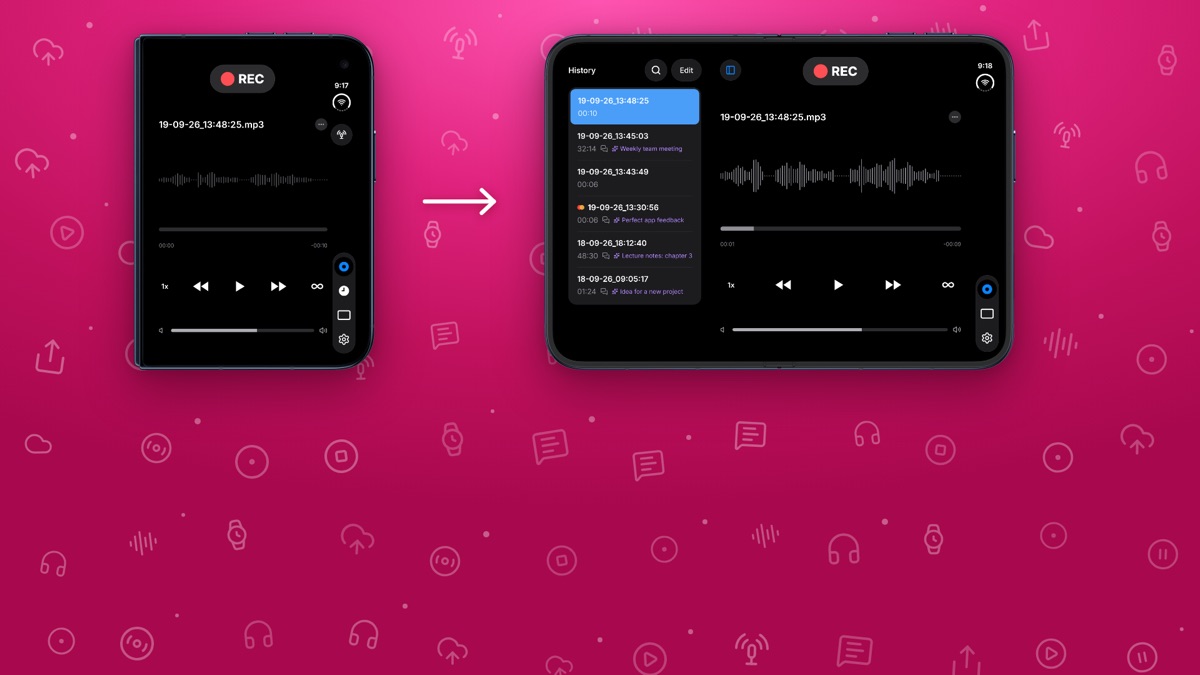
- Your History on iPhone Duo. Record on the cover screen, then unfold iPhone Duo: your History list appears next to the player, ready to play.
- Voice Recorder for Mac. Record your voice or your screen right from the menu bar, turn recordings into text and AI summaries, change your voice with fun effects, and export to MP3.
- Smart meeting notes. Turn meetings into text and a clear summary on device, with tags that keep every project easy to find.
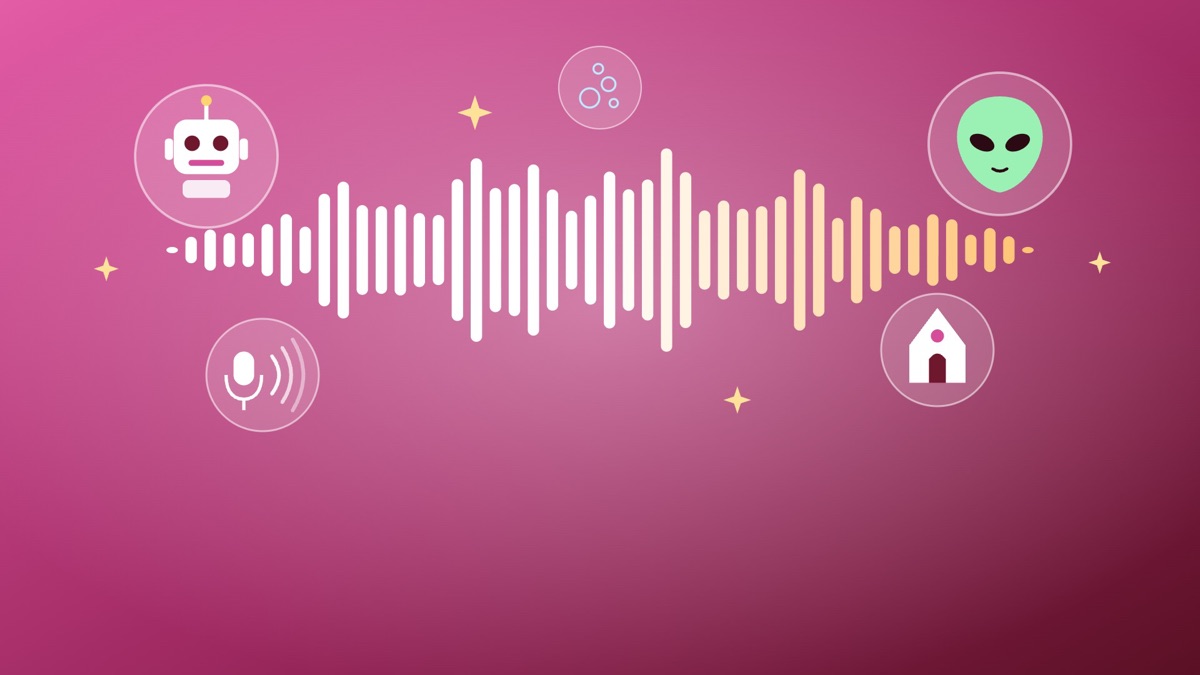
- Voice Changer. Give any recording a new voice: Robot, Chipmunk, Alien, Cathedral and more. Adjust the pitch, then share it.
In-App Events
Voice Recorder, Voice Memos® regularly runs In-App Events on the App Store to introduce new features and seasonal ways to use the app. Journalists are welcome to use the event images below.
Live and Upcoming
Your Recordings in CarPlay
Dec 12, 2026 – Jan 11, 2027 · Coming soon
Voice Recorder now works in CarPlay. Play your recordings on your car's screen, with speed control and 15-second skip.
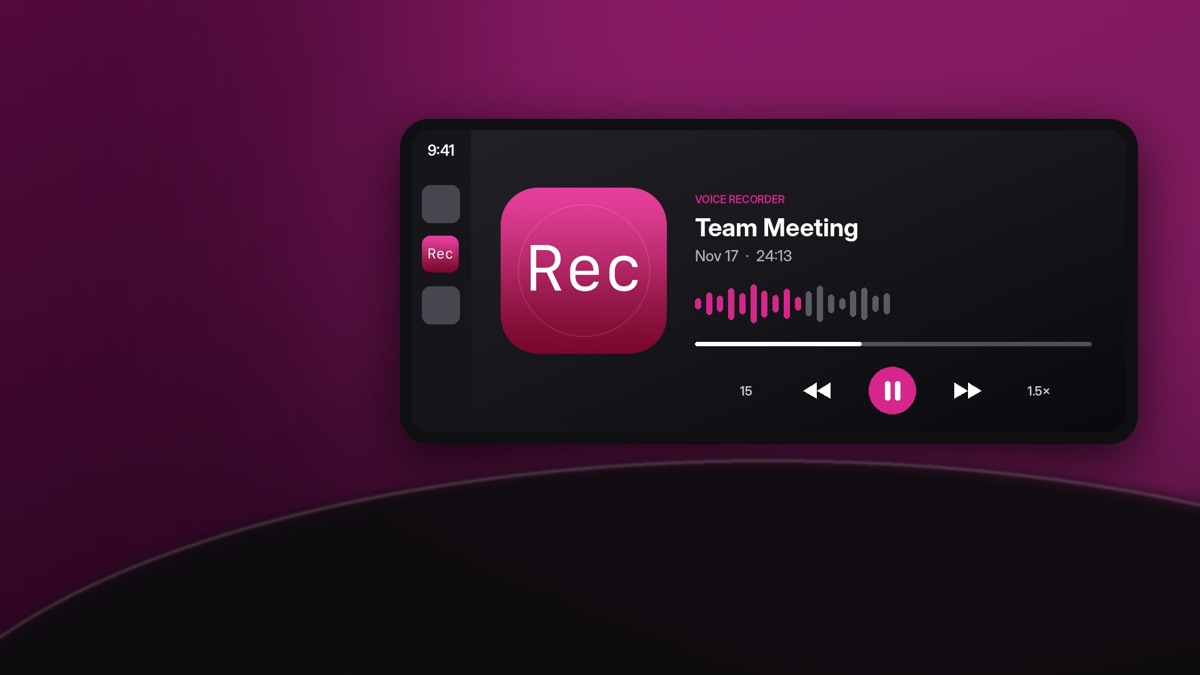
Listen in CarPlay & HomeView
Dec 10, 2026 – Jan 9, 2027 · Major Update
Play All in CarPlay, skip and change speed, or add the big new Player widget to HomeView and your Home Screen.

Try the Voice Changer
Nov 17 – Dec 16, 2026 · Major Update
Record a message and give it a new voice: Robot, Chipmunk, Alien, Cathedral and more. Adjust the pitch, then share it.
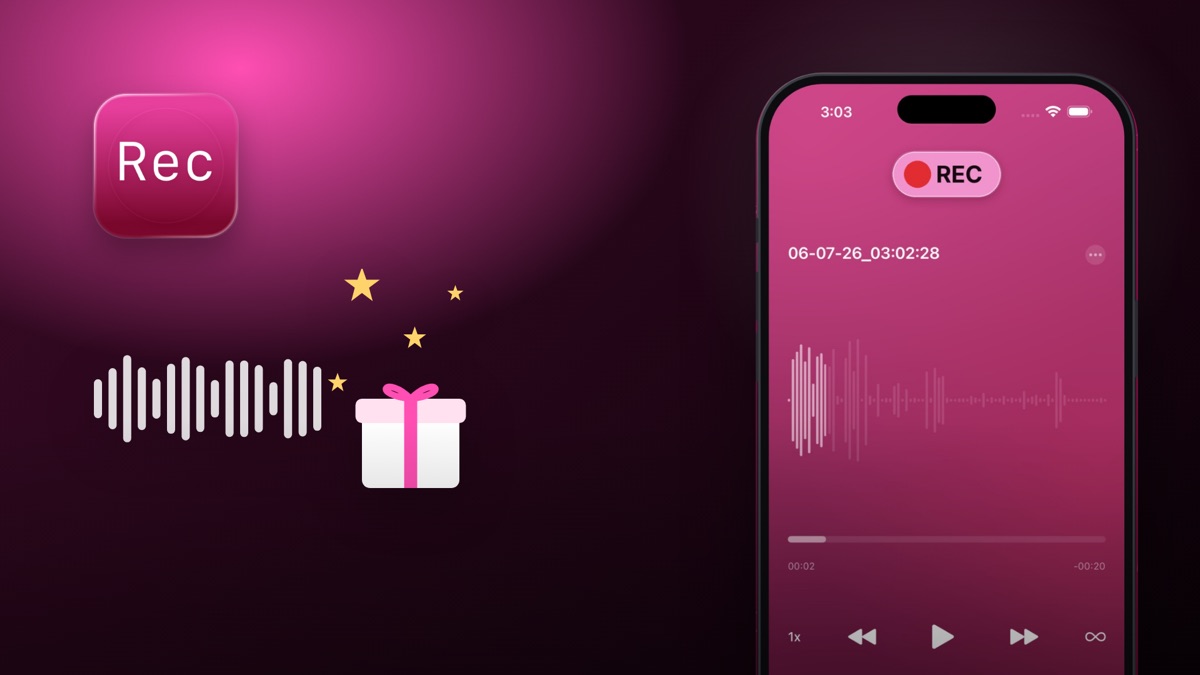
Record Holiday Memories
Nov 25 – Dec 1, 2026 · Special Event
Record holiday stories, toasts and celebrations in rich spatial audio, then get transcripts to keep and share.
Meeting & Lecture Recorder
Nov 10 – Dec 1, 2026 · Major Update
Record meetings and lectures in high quality, then get a transcript and summary so you never miss an important point.
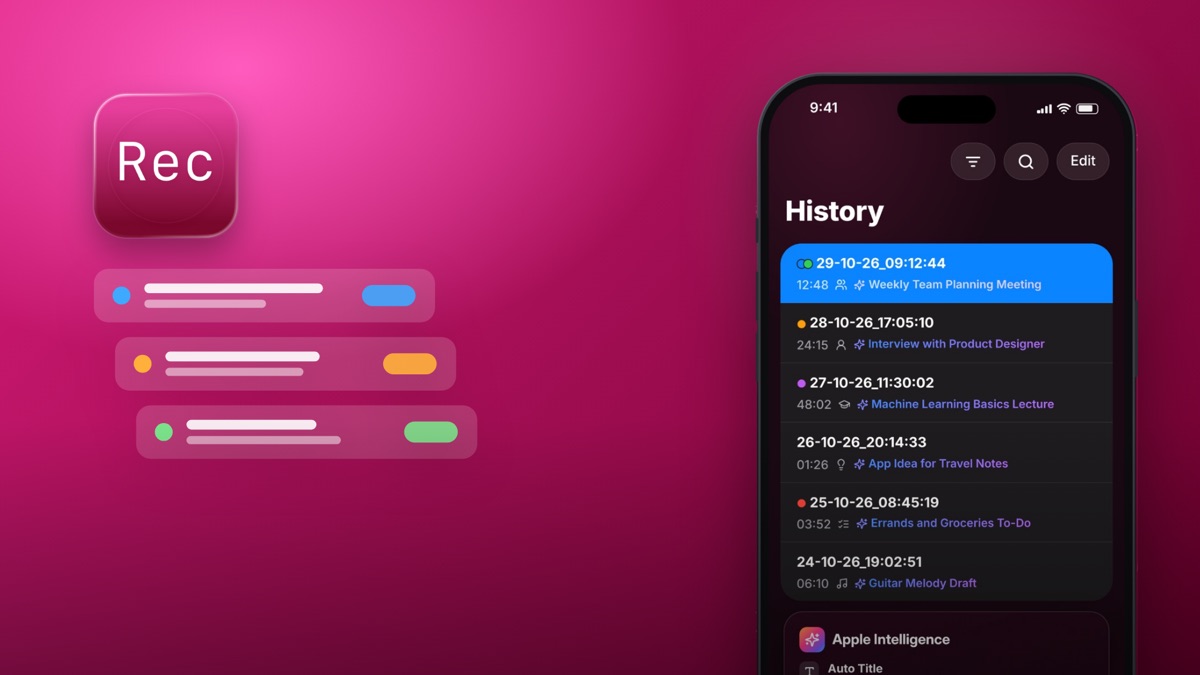
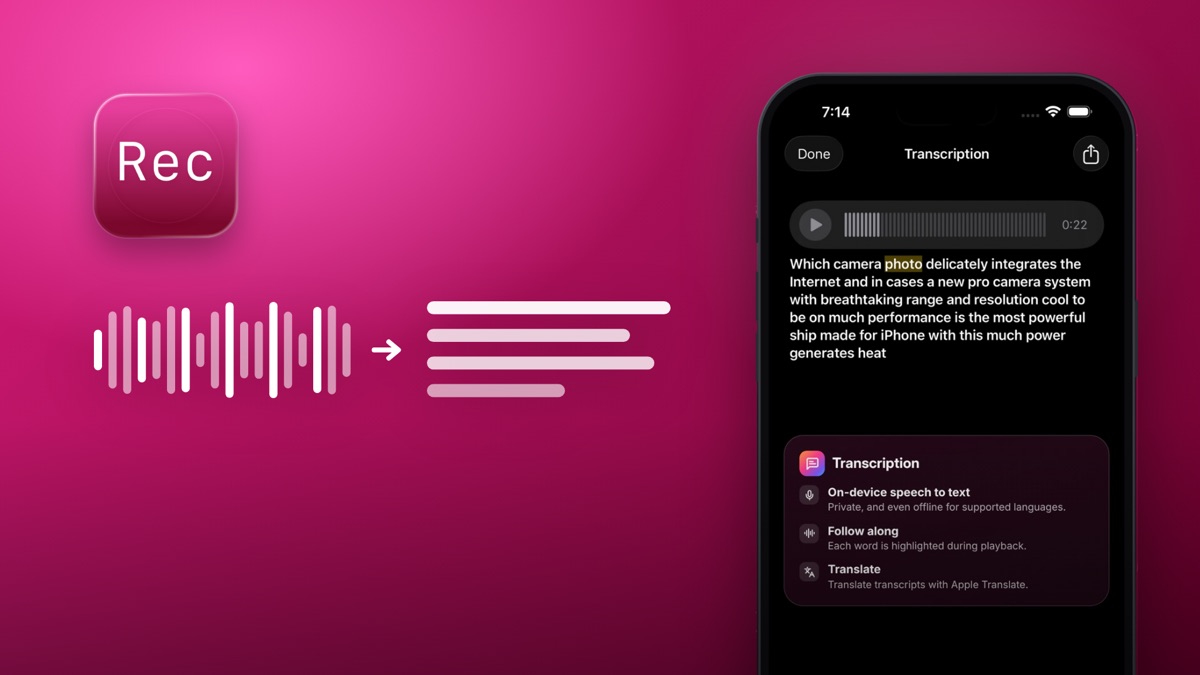
Transcribe Voice to Text
Nov 10 – Dec 1, 2026 · Major Update
Record a memo, lecture or interview and get the full text on device. Edit, search and share your transcript easily.
Your History on iPhone Duo
Oct 23 – Nov 23, 2026 · Major Update
Record on the cover screen, then unfold iPhone Duo: your History list appears next to the player, ready to play.
Past Events
| Dates | Event | What it highlighted | Image |
|---|---|---|---|
| Sep 1 – Oct 2, 2026 | New: Smart Meeting Notes | Transcribe meetings and summarize key points | View |
| Aug 9 – Sep 9, 2026 | Sounds of Summer | Record rivers, seas and concerts in 3D sound | View |
| Mar 30 – Apr 30, 2026 | New AI Dictation | AI-powered voice to text, improved | View |
| Mar 17 – Apr 17, 2026 | Shared Memos with SharePlay | Collaborate on memos together with SharePlay | View |
| Feb 16 – Mar 19, 2026 | Recently Deleted Folder | Recover deleted recordings easily | View |
| Jan 7 – Feb 7, 2026 | Accessibility for Everyone | Thoughtfully designed with accessibility in mind | View |
| Jan 6 – Feb 6, 2026 | AI Voice Transcription | Accurate voice transcription with advanced AI | View |
| Jun 17 – Jul 18, 2025 | Quick Voice & Screen Record | Quick access to the voice and screen recorder | – |
| Apr 29 – May 30, 2025 | Noise Cancel On! | Reduce background noise in recordings | – |
| Mar 15 – Apr 15, 2025 | Intelligence Recorder | Enriched with Siri and Shortcuts | – |
| Mar 15 – Apr 15, 2025 | SharePlay: New Way of Sharing | SharePlay, transcription and file management | – |
| Mar 13 – Apr 13, 2025 | Enhanced Quality & Design | Better audio quality, fast and friendly design | View |
| Oct 28 – Nov 28, 2024 | Artificial Intelligence in App | The app enhanced with AI features | View |
| Oct 3 – Nov 2, 2022 | Voice Memos | Voice Recorder and Voice Memos in one app | View |
| Aug 7 – Sep 7, 2022 | Voice Recorder, Voice Memos | Colour stickers and iCloud support | View |
Built Exclusively for the Apple Ecosystem
Voice Recorder, Voice Memos® is designed from the ground up for Apple devices, operating systems, and platform technologies.
The app integrates with:
- iPhone
- iPad
- Mac
- Apple Watch
- Apple Vision Pro
- iCloud
- CloudKit
- AirPlay
- SharePlay
- iMessage
- Live Activities
- Lock Screen media controls
- Apple Shortcuts
- Siri
- Apple speech technologies
Recording, playback, media controls, and library interactions are carefully adapted for iOS, iPadOS, macOS, watchOS, and visionOS.
Through iCloud and CloudKit integration, recordings and associated metadata remain synchronized across supported devices. Changes such as renaming a recording, updating its information, or organizing the library can automatically appear across other devices signed in to the same Apple Account.
The result is a continuous recording workflow that allows users to move naturally between their Apple devices.
What Makes It Different
Voice Recorder, Voice Memos® is more than a traditional recording utility.
Its defining features include:
- Dedicated experiences for iPhone, iPad, Mac, Apple Watch, and Apple Vision Pro
- Deep integration with Apple platform technologies
- Privacy-first architecture with no user data collected
- On-device intelligence and offline capabilities
- Spatial Audio recording and immersive playback
- Seamless iCloud and CloudKit synchronization
- SharePlay listening sessions
- Siri and Apple Shortcuts support
- Native accessibility features
- Platform-specific interfaces designed to feel at home on every Apple device
Rather than offering the same interface everywhere, the app is thoughtfully adapted to the capabilities and interaction models of each Apple platform.
Privacy First
Privacy is a core principle of Voice Recorder, Voice Memos®.
The app is proudly labelled on the App Store as “Data Not Collected.”
Recordings and supported intelligence features are processed locally on the device whenever possible, without advertising trackers, user profiling, analytics harvesting, or unnecessary data collection.
Users maintain control over their recordings, transcripts, metadata, and workflows.
This privacy-first approach creates a recording experience built around trust, transparency, and user ownership.
Professional Recording, Made Simple
Voice Recorder, Voice Memos® combines an approachable interface with advanced recording flexibility.
Supported audio formats include:
- MP3
- M4A with AAC audio
- AAC
- WAV
- CAF
Recording capabilities include:
- Noise Cancellation
- Mono recording
- Front stereo recording
- Rear stereo recording
- Flexible channel configuration
- Real-time waveform visualization
- Live recording status
- End Speech Detection
- External microphone support
- AirPods recording workflows
Important recording settings remain visible during capture, allowing users to clearly understand the active format, channel configuration, and recording mode.
The experience remains simple enough for everyday voice notes while offering the flexibility required by students, journalists, creators, podcasters, streamers, and professional users.
Spatial Audio Recording
Voice Recorder, Voice Memos® supports immersive Spatial Audio recording on compatible Apple devices.
Users can:
- Capture sound using the supported microphone array
- Record audio with directional and spatial characteristics
- Preserve a stronger sense of place and environment
- Play compatible Spatial Audio recordings on supported Apple devices
- Experience immersive playback on Apple Vision Pro
Spatial Audio recording is especially useful for interviews, meetings, performances, ambience, memorable moments, and creative audio projects.
Compatible recordings can be played back on Apple Vision Pro, providing a more immersive listening experience that reflects the direction and spatial characteristics of the captured sound.
Apple Intelligence and Transcription
Voice Recorder, Voice Memos® uses supported Apple intelligence and speech technologies to make recordings easier to understand, find, and organize.
Available capabilities include:
- Speech transcription
- Smart recording titles based on spoken content
- Automatic topic tags
- Search by recording title
- Search by tag
- Search by transcript
- On-device intelligence
- Offline processing where supported
Instead of relying only on dates and file names, recordings can be organized around their actual spoken content.
Supported on-device features can work without sending recordings to an external server, helping maintain privacy while making large recording libraries easier to manage.
Siri and Apple Shortcuts
Deep integration with Siri and Apple Shortcuts allows users to begin recording workflows quickly and hands-free.
Users can say:
- “Hey Siri, start recording in Voice Recorder.”
- “Play my last recording.”
Available shortcut actions include:
- Start Voice Recording
- Start Screen Recording
- Play Last Recording
- Open Last Dictation
These actions can be launched through Siri, personalised shortcuts, and system automations without requiring users to manually navigate through the app.
Supported actions may also be available from the Lock Screen.
Unified Recording and Playback
Voice Recorder, Voice Memos® brings recording, playback, navigation, editing, and organization together in one streamlined experience.
Playback features include:
- Integrated audio playback
- Interactive waveform navigation
- Playback speed controls
- Repeat playback
- Background audio continuity
- Lock Screen media controls
- Smooth inline controls
- Seamless playback transitions
- Live media session handling
The interface is designed to remain responsive and focused throughout the entire recording workflow.
Users can move naturally from recording to playback, editing, organization, and sharing without switching between disconnected tools.
Precision Audio Editing
The app includes a modern waveform-based editing experience designed for clarity and precision.
Users can:
- Trim audio from the beginning
- Trim audio from the end
- Navigate visually through the waveform
- Preview changes before saving
- Use precise timeline controls
- Split recordings into separate audio files
- Convert recordings between supported formats
- Export audio as MP3, CAF, AAC, M4A, or WAV
- Voice Changer
Editing tools are designed to remain approachable for quick adjustments while providing the control required for more advanced audio workflows.
Intelligent Organization
Voice Recorder, Voice Memos® is designed for both quick voice notes and large, long-term recording libraries.
Organization features include:
- Recording history
- Recently Deleted recovery
- Search by file name
- Search by spoken content
- Tags
- Multi-selection
- Batch sharing
- Batch tagging
- Batch iCloud uploads
- Manual reordering
- Sorting by name
- Sorting by date
- Sorting by duration
- Sorting by file size
Detailed recording information includes:
- Duration
- File size
- Audio format
- Channel configuration
- Sample rate
- Creation date
- Modification date
- iCloud synchronization status
Library organization and supported metadata remain synchronized across compatible devices through iCloud and CloudKit.
SharePlay and Shared Listening
Voice Recorder, Voice Memos® extends beyond individual recording workflows through SharePlay integration.
Users can listen to recordings together in synchronized playback sessions across supported Apple devices.
Sharing capabilities include:
- SharePlay listening sessions
- Real-time synchronized playback
- Native Apple sharing workflows
- iMessage integration
- Conversation-based sharing
- Batch sharing
- Collaborative listening experiences
SharePlay makes it possible to review interviews, lectures, meetings, creative work, or personal recordings together while keeping playback synchronized for everyone in the session.
CarPlay and HomeView
Starting with version 18.6, Voice Recorder, Voice Memos® is a CarPlay audio app. In the car, a Recordings list in the same order as the app's History opens a Now Playing screen with previous and next recording, back and forward 15 seconds, playback speed from 0.5× to 2×, and Stop.
A new Player widget comes in small, medium, large and extra-large sizes. The small one fits CarPlay's widget screen; the large and extra-large ones turn HomeView or the Home Screen into one big player that can be read and tapped from across the room. Every button is an App Intent, so playback starts in the background without opening the app.
The player keeps a single queue, so CarPlay, the widget, the Lock Screen and the app always agree on what is playing. Recordings with their own cover art show it everywhere; the rest show the app icon.
Apple Watch
Voice Recorder, Voice Memos® includes a dedicated Apple Watch experience designed for immediate access and lightweight interaction.
Users can:
- Start recordings directly from Apple Watch
- Pause recordings
- Stop recordings
- View live waveforms
- Control playback
- Save recordings
- Continue supported workflows across devices
The watchOS interface is optimized specifically for the smaller display and wearable interaction model of Apple Watch.
It provides quick access to essential recording controls without bringing the full complexity of the iPhone experience to the wrist.
Apple Vision Pro
Voice Recorder, Voice Memos® brings its complete recording and audio management experience to Apple Vision Pro through a dedicated visionOS app.
Users can record, organize, edit, manage, and play audio within a spatial computing environment created specifically for Apple Vision Pro.
The visionOS experience includes:
- Voice and audio recording
- Recording library management
- Integrated audio playback
- Waveform navigation
- Precision audio trimming
- Recording information and metadata
- Search and organization tools
- iCloud synchronization
- Compatible Spatial Audio playback
- Native light and dark appearances
- A visionOS-optimized interface
The interface adapts the app’s core principles of clarity, privacy, and simplicity to Apple’s spatial computing platform.
Controls, layouts, visual hierarchy, and interactions are designed to remain comfortable and familiar while taking advantage of the unique environment of Apple Vision Pro.
Mac
Voice Recorder, Voice Memos® includes a native Mac app designed for desktop recording workflows.
On Mac, users can:
- Start voice and screen recordings right from the menu bar
- Record the full screen, a single window, or a selected area
- Transcribe recordings and create AI summaries and smart titles with Apple Intelligence
- Change voices with built-in effects
- Trim and edit screen recordings
- Extract text from screen recordings
- Export audio as MP3 and other formats
- Back up recordings to iCloud Drive
- Start recordings with Siri and Shortcuts
The Mac app follows the same privacy-first approach as every other platform, with no user data collected.
AirPlay and Apple TV Playback
Voice Recorder, Voice Memos® supports native AirPlay playback across compatible devices, including Apple TV.
AirPlay capabilities include:
- Native AirPlay streaming
- Apple TV playback
- System-level media controls
- Lock Screen media integration
- Background audio continuity
- System-aware playback behaviour
Playback is designed to feel familiar to Apple users and to work naturally with the media experiences already built into Apple platforms.
Accessibility
Accessibility is integrated throughout the app rather than treated as an optional feature.
Voice Recorder, Voice Memos® supports:
- VoiceOver
- Voice Control
- Dynamic Type
- Larger text sizes
- High contrast
- Reduce Motion
- Accessible recording controls
- Accessible playback controls
- Native system accessibility behaviours
- Light Mode
- Dark Mode
The interface is designed to remain readable, calm, predictable, and approachable across different accessibility needs and interaction styles.
Native Apple Design
Voice Recorder, Voice Memos® is designed with a strong focus on clarity, calm interaction, and native platform behaviour.
The interface combines:
- Clear visual hierarchy
- Familiar system controls
- Smooth motion and transitions
- Gesture-friendly interactions
- Adaptive layouts
- Platform-specific navigation
- Native light and dark appearances
- Dynamic translucency
- Layered visual depth
- System-aware materials
- Dark and light app icons
- Glass-inspired icon support
- Liquid Glass-inspired interface materials
Each platform receives an interface adapted to its own display, interaction model, and operating system conventions.
The experience is designed to feel modern without becoming visually distracting, allowing the recording itself to remain the primary focus.
Designed for Modern Workflows
Voice Recorder, Voice Memos® supports a wide range of personal, educational, creative, and professional workflows.
Common use cases include:
- Voice notes
- Lectures and education
- Meetings and productivity
- Journalism and interviews
- Podcasting
- Streaming and gaming commentary
- Content creation
- Research and documentation
- Screen recording
- Audio conversion
- Immersive Spatial Audio capture and playback
The app is designed to remain lightweight for quick everyday use while providing greater depth when more advanced capabilities are required.
Flexible Subscription Options
Voice Recorder, Voice Memos® provides a premium recording experience with flexible subscription options available through the App Store.
A free trial allows users to explore supported capabilities before subscribing.
Depending on regional availability, subscription options may include:
- Yearly subscriptions
- Monthly subscriptions
- Monthly payments with a 12-month commitment
The subscription experience is designed to remain straightforward, transparent, and consistent with modern Apple platform purchasing experiences.
Quick Facts
App: Voice Recorder, Voice Memos® Developer: Milad Fakhr Platforms: iPhone, iPad, Mac, Apple Watch, and Apple Vision Pro Ecosystem: Apple Privacy: Data Not Collected Synchronization: iCloud and CloudKit Key Technologies: Spatial Audio, Apple Intelligence, SharePlay, AirPlay, Siri, Shortcuts, Live Activities, and iMessage Audio Formats: MP3, M4A, AAC, WAV, and CAF Accessibility: VoiceOver, Voice Control, Dynamic Type, High Contrast, and Reduce Motion Availability: App Store
About the Developer
Voice Recorder, Voice Memos® is created by independent iOS developer Milad Fakhr.
For more than 15 years, his work has focused exclusively on Apple platforms, with an emphasis on privacy-first design, thoughtful user experience, modern Apple technologies, performance, and seamless cross-device integration.
His applications are designed specifically for the Apple ecosystem, including dedicated experiences for iPhone, iPad, Mac, Apple Watch, and Apple Vision Pro.
His development philosophy centres on simplicity, long-term usability, platform-native behaviour, and creating software that feels genuinely at home on Apple devices.
Contact
For press enquiries, review requests, collaboration opportunities, educational partnerships, or promotional codes, please contact:
hi@voicerecordervoicememos.app
Voice Recorder, Voice Memos® continues to evolve through thoughtful refinement, adoption of modern Apple technologies, and a long-term commitment to privacy and the Apple user experience.
© 2026 Voice Recorder, Voice Memos®. All rights reserved.
Fact Sheet
iPhone
iOS 17 +
iPad
iPadOS 17 +
Apple Watch
WatchOS 10 +
iMessage
iOS 17 +
Widget
iOS 18 +
Mac
macOS 14 +
Continue to images